
I remember staring at my laptop at 11 PM on a Sunday, frantically scheduling social media posts for the week ahead. My coffee had gone cold, my eyes were burning, and I still had three more platforms to go. Sound familiar?
Managing social media used to eat up 15-20 hours of my week. Keeping up with content, captions, and posting times across every platform felt exhausting. Then I found a few free AI tools for social media scheduling, and they made everything so much easier.
These tools don’t just schedule posts. They help with captions, posting times, and turning your top content into new posts. I went from hours of social media work to finishing everything in just two hours a week.
In this guide, I’ll share the free AI scheduling tools I’ve tried and what I liked about each one. I’ll also help you figure out which tool fits your needs. No matter what you do, these tools can help make social media easier to manage.
Why AI Social Media Scheduling Matters in 2025
The Biggest Challenges of Manual Social Media Management
Let me paint you a picture. You create amazing content, but it sits in your drafts folder because you forgot to post it. Or worse, you post at 2 AM when your audience is asleep, and your engagement tanks.
Here’s what kills productivity when you manage social media manually:
Time-consuming posting drains hours from your actual business work. Uploading posts and writing captions for every platform eats up a lot of time.
Missed publishing times happen to everyone. You plan to post at 9 AM, get caught in a client call, and suddenly it’s 3 PM. Your content reaches half the audience it could have.
Content inconsistency destroys your growth. You post daily for two weeks, then nothing for ten days because life got busy. Your followers forget you exist.
Multi-platform management becomes a nightmare. Instagram needs hashtags and square images. LinkedIn wants professional long-form content. Twitter (X) demands brevity. Facebook somewhere in between. Managing all this manually? Exhausting.
How AI Improves Social Media Scheduling
I was skeptical about AI at first. Could a machine really understand my brand voice? Turns out, modern AI tools have gotten scary good.
AI-generated captions save me hours every week. I feed the tool an image or topic, and it creates three caption variations I can tweak. No more staring at a blank screen.
Best posting time predictions use your audience data to suggest when your followers are most active. I discovered my Instagram audience engages 3x more at 7 PM on Tuesdays than my random 10 AM posts.
Content recycling is brilliant. AI finds your best-performing old posts and suggests sharing them again with updated captions. That blog post from January? Still relevant and now reaching new followers.
Automation workflows let me approve a week’s worth of content in one sitting. The AI handles the actual posting while I focus on strategy and creativity.
Analytics insights show patterns I’d never spot manually. AI noticed my carousel posts outperform single images by 40%, so I adjusted my content strategy accordingly.
What to Look for in Free AI Social Media Scheduling Tools
Not all free tools are created equal. Some slap “AI-powered” on basic scheduling features and call it a day. Here’s what actually matters.
Essential Features
AI caption generation should be your baseline requirement. The tool needs to create engaging, on-brand captions that sound human, not robotic. I test this by checking if the captions need minor tweaks or complete rewrites.
Content calendar visibility is non-negotiable. You need to see your entire month at a glance, drag posts around, and spot gaps in your schedule immediately.
Platform integrations determine usefulness. At minimum, look for Facebook, Instagram, LinkedIn, and Twitter/X support. Bonus points for Pinterest, TikTok, and YouTube.
Analytics dashboard should show what’s working. Tracking engagement, the best posting times, and follower growth helps you keep improving.
Bulk scheduling saves massive time. Upload 20 posts at once, let AI suggest optimal times, and approve everything in minutes.
Mobile app access matters more than you’d think. I’ve edited captions and rescheduled posts from my phone more times than I can count.
Team collaboration becomes critical as you grow. Multiple users, approval workflows, and comment threads keep everyone aligned.
Also Read: On-Page SEO checklist for Bloggers : 12 steps to get higher rankings quickly in 2026
Free Plan Limitations
Free plans always have catches. Understanding them upfront prevents frustration later.
Monthly post limits typically range from 10 to 30 posts. Calculate your posting frequency across all platforms before committing. I post 3x daily across 4 platforms, so 10 posts wouldn’t last two days.
Connected social accounts are often restricted to 2-3 on free plans. If you manage multiple brands or client accounts, this becomes a dealbreaker fast.
Watermarks occasionally appear on AI-generated images or videos. Professional accounts can’t have “Created with [Tool Name]” stamped on content.
AI credits limit how many captions or images the AI generates monthly. Some tools give 10 AI-generated captions free, then charge for more.
Storage restrictions affect media libraries. You might only get 1GB to store images and videos, which fills up quickly with high-resolution content.
Best Free AI Tools for Social Media Scheduling
I’ve spent the last six months testing every free AI scheduling tool I could find. Here are the ones that actually delivered value without constant upsells.
1. Buffer
I started with Buffer, and their AI features have improved a lot over time.
Overview: Buffer focuses on simplicity. Its simple interface makes planning posts easier, and the AI Assistant creates captions that don’t feel robotic.
Best for: Anyone new to scheduling tools who wants something easy to set up and use.
AI Features:
• AI caption generation with tone adjustments (professional, casual, funny)
• Optimal posting time suggestions based on audience activity
• Hashtag recommendations specific to your content
• Post performance predictions before publishing
Free Plan:
• 3 social channels
• 10 scheduled posts per channel
• 1 user
• Basic analytics
| Pros | Cons |
| • Incredibly intuitive interface • Browser extension for sharing content easily • Mobile app works flawlessly • AI captions rarely need major edits | • Only 10 posts per channel feels restrictive • No Instagram Stories scheduling on free plan • Analytics are fairly basic • Can’t collaborate with team members |
I still use Buffer for my LinkedIn because its AI does a great job of creating a professional tone.
2. Publer
Publer surprised me with how much they pack into their free plan. It’s become my go-to recommendation for freelancers.
Overview: Publer has great scheduling features, helpful AI tools, and a more user-friendly approach to paid plans.
Best for: Freelancers handling multiple client accounts who need more flexibility than Buffer.
AI Features:
• AI text generation for captions and post ideas
• AI image enhancement and background removal
• Content recycling suggestions
• Auto-scheduling based on optimal times
• AI-powered hashtag generator
Free Plan:
• 3 social accounts
• 10 posts per account (monthly)
• AI credits for caption generation
• Basic analytics
• Photo editor included
| Pros: | Cons: |
| • Built-in photo editor saves switching between tools • Supports more platforms including Google My Business • Recycling feature extends content lifespan • Link shortening and tracking included | • AI caption quality varies by platform • 10 posts monthly is tight for active accounts • Mobile app less polished than desktop • Some AI features locked behind paywall |
Publer’s photo editor alone makes it worth trying. I’ve created entire Instagram carousels without opening Canva.
3. Metricool
Metricool brings serious analytics to free users, which is rare.
Overview: This Spanish company built a tool that balances scheduling, analytics, and AI features. Their competitor analysis features stand out.
Best for: Data-driven marketers who want deep insights alongside scheduling capabilities.
AI Features:
• AI content suggestions based on trending topics
• Optimal posting time recommendations
• Automated hashtag research
• Performance predictions
• AI-generated post variations for A/B testing
Free Plan:
• 1 brand (unlimited social profiles)
• Unlimited scheduled posts
• Advanced analytics
• Competitor tracking (1 competitor)
• Ad spend tracking
| Pros | Cons |
| • Unlimited scheduling on free plan is incredible • Analytics rival paid tools • Competitor analysis shows what’s working for others • Supports TikTok and Twitch • Reports look professional enough for clients | • Only 1 brand means no client account management • AI features less developed than competitors • Interface feels cluttered initially • Some features have steep learning curve |
I use Metricool specifically for analytics. The unlimited scheduling on the free plan is unmatched.
4. SocialBee
SocialBee takes a category-based approach that changed how I think about content planning.
Overview: SocialBee works differently. You organize posts into categories, and it automatically keeps your content flowing.
Best for: Small businesses wanting consistent posting without daily management.
AI Features:
• AI caption generator with brand voice customization
• Content categorization and rotation
• Evergreen content recycling
• Hashtag suggestions
• AI-powered content variations for different platforms
Free Plan:
• 14-day trial (not truly free long-term)
• 5 social profiles
• Unlimited posts
• All AI features included
• Content categories
| Pros | Cons |
| • Category system ensures content variety • AI learns your brand voice over time • Canva integration streamlines design • RSS feed automation for blog posts • Excellent customer support | • No permanent free plan, just trial • Steeper learning curve than simpler tools • Pricing jumps significantly after trial • Might be overkill for casual users |
The trial gives you enough time to batch a month of content. I did exactly that before deciding if I wanted to continue.
5. Planable
Planable revolutionizes team collaboration around social content.
Overview: If you’ve ever emailed social media drafts back and forth for approval, Planable will feel like magic. It’s built for teams and agencies.
Best for: Agencies and teams needing approval workflows and collaboration features.
AI Features:
• AI caption generation
• Content suggestions based on previous posts
• Optimal scheduling recommendations
• Multi-platform content adaptation
• AI-powered content calendar
Free Plan:
• 50 posts monthly
• Unlimited users
• All social platforms
• Basic collaboration features
• 7-day content history
| Pros | Cons |
| • Collaboration features rival enterprise tools • Comment threads keep feedback organized • Approval workflows prevent posting mistakes • Mock-up view shows exactly how posts will look • Client access without giving platform credentials | • AI features less robust than dedicated AI tools • Free plan limits content history • Can feel overwhelming for solo users • Some platforms require manual posting |
I recommend Planable specifically for teams. The approval workflow saved me from several embarrassing client post mistakes.
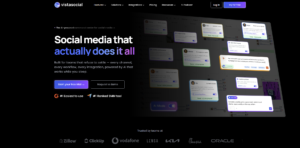
6. Vista Social
Vista Social emerged recently but packed in impressive AI capabilities.
Overview: Vista Social combines scheduling, listening, and AI content creation in one platform.
Best for: Small businesses wanting an all-in-one solution without piecing together multiple tools.
AI Features:
• AI caption and post generation
• Image creation from text prompts
• Content idea suggestions
• Sentiment analysis on comments
• Automated response suggestions
Free Plan:
• 3 social profiles
• 15 posts monthly
• AI content generation (limited)
• Basic analytics
• Social listening (limited)
| Pros | Cons |
| • AI image generation is surprisingly good • Social listening catches brand mentions • Sentiment analysis on comments helps prioritize responses • Publishing queue feature ensures consistent posting • Multi-language support | • Relatively new with occasional bugs • AI image quality inconsistent • Limited posts on free plan • Customer support response times vary • Learning curve for advanced features |
Vista Social’s AI image generator has created usable graphics for me, which is rare for free tools.
7. Predis.ai
Predis.ai goes all-in on AI, sometimes to a fault.
Overview: This tool uses AI for everything—captions, images, videos, hashtags, and scheduling. It’s AI-first, scheduling-second.
Best for: Content creators who want AI to handle heavy lifting and don’t mind editing outputs.
AI Features:
• Complete post generation from just a topic
• AI video creation from text
• Carousel post generation
• Competitor content analysis
• Brand kit integration for consistent visuals
Free Plan:
• 15 AI-generated posts monthly
• 1 brand
• Basic templates
• Watermark on AI content
• Standard scheduling
| Pros | Cons |
| • AI creates complete posts (caption + image + hashtags) • Video generation saves hours • Carousel creator for Instagram • Competitor analysis provides inspiration • Multiple content variations from one input | • AI content needs significant editing • Watermarks on free plan look unprofessional • Sometimes misses brand voice nuances • Limited customization on templates • Can feel too automated |
Predis.ai works best when you’re stuck for ideas. Feed it a topic, get 5 post variations, then heavily edit the best one.
8. Ocoya
Ocoya positions itself as the AI social media powerhouse.
Overview: Ocoya combines GPT-powered copywriting with graphic design and scheduling in one platform.
Best for: Marketers who want comprehensive AI assistance across content creation and scheduling.
AI Features:
• AI copywriting in 26 languages
• Image and video generation
• Hashtag strategy recommendations
• Content calendar auto-fill
• E-commerce product promotion automation
Free Plan:
• 10 social channels
• 10 posts monthly
• AI copywriting (limited)
• Image library access
• Basic analytics
| Pros | Cons |
| • Multi-language AI copywriting is excellent • E-commerce integrations for product posts • Graphic templates look professional • Supports many platforms including Google My Business • Automation rules save time | • Only 10 posts monthly feels restrictive • AI credits run out quickly • Interface can feel overwhelming • Some features require paid plan • Mobile app needs improvement |
Ocoya’s multi-language capabilities are unmatched. I’ve created Spanish and French content without speaking either language fluently.
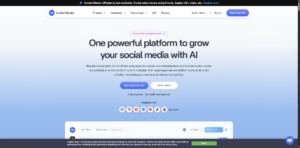
9. ContentStudio
ContentStudio focuses on content discovery alongside scheduling.
Overview: ContentStudio helps you find trending topics in your niche and turn them into scheduled posts.
Best for: Businesses struggling with content ideas who need discovery tools as much as scheduling.
AI Features:
• AI content suggestions based on trending topics
• Caption generation with tone customization
• Automated content curation
• Influencer discovery
• Performance analytics with AI insights
Free Plan:
• 14-day trial
• 3 social accounts
• Content discovery
• AI composer
• Analytics
| Pros | Cons |
| • Content discovery finds relevant articles and trends • Automation recipes for curated content • Influencer database for outreach • White-label reports for agencies • RSS feed automation | • No permanent free plan • Trial period too short to evaluate fully • Pricing increases significantly after trial • Interface feels dated • Learning curve for automation features |
ContentStudio’s content discovery saved me when I hit creative block. Seeing what’s trending in my niche sparked dozens of post ideas.
10. Canva Content Planner
Canva added scheduling recently, leveraging their design dominance.
Overview: Canva Content Planner combines design and scheduling, so you can create and publish posts more easily.
Best for: Visual creators already using Canva who want to schedule without switching platforms.
AI Features:
• AI design suggestions
• Magic Write for captions
• Brand kit integration
• Template recommendations
• Auto-resize for different platforms
Free Plan:
• 8 scheduled posts monthly
• 7 platforms supported
• Canva Free design tools
• Basic analytics
• Brand kit (1 brand)
| Pros | Cons |
| • Design and schedule in one place • Magic Write creates decent captions • Auto-resize saves time across platforms • Template library is massive • No learning curve if you use Canva | • Only 8 posts monthly is very restrictive • Analytics are basic • No optimal time suggestions • Limited scheduling features vs dedicated tools • Must upgrade Canva Pro for more posts |
I use Canva’s scheduler occasionally when I’ve designed something in Canva and want to post immediately. Otherwise, the post limit is too restrictive.
Comparison Table of the Best Free AI Scheduling Tools
| Tool | Key AI Features | Free Plan Posts | Supported Platforms | Best For | Overall Rating |
| Buffer | Caption generation, timing optimization | 30 total (10 per channel) | 3 channels | Beginners | ⭐⭐⭐⭐ |
| Publer | Caption writing, image enhancement | 30 total | 3 accounts | Freelancers | ⭐⭐⭐⭐ |
| Metricool | Content suggestions, analytics | Unlimited | Unlimited profiles (1 brand) | Data enthusiasts | ⭐⭐⭐⭐⭐ |
| SocialBee | Brand voice learning, categorization | Trial only | 5 profiles | Small businesses | ⭐⭐⭐⭐ |
| Planable | Caption generation, collaboration | 50 monthly | All major platforms | Teams/Agencies | ⭐⭐⭐⭐ |
| Vista Social | Image creation, sentiment analysis | 15 monthly | 3 profiles | All-in-one seekers | ⭐⭐⭐⭐ |
| Predis.ai | Complete post generation, video creation | 15 monthly | Major platforms | AI-first users | ⭐⭐⭐ |
| Ocoya | Multi-language copywriting | 10 monthly | 10 channels | International brands | ⭐⭐⭐⭐ |
| ContentStudio | Content discovery, curation | Trial only | 3 accounts | Content curators | ⭐⭐⭐ |
| Canva Planner | Design integration, Magic Write | 8 monthly | 7 platforms | Visual designers | ⭐⭐⭐ |
How to Choose the Right AI Scheduling Tool
The “best” tool depends entirely on your specific situation. Here’s how I’d choose if starting fresh today.
For Freelancers
Simplicity should be your priority. You’re already juggling client work, invoicing, and project management. Your scheduling tool shouldn’t add complexity.
I’d choose Publer or Buffer for their clean interfaces. You can start scheduling within 10 minutes of signing up.
Budget consciousness matters when you’re building a business. Free plans need to last until you’re generating consistent revenue.
Metricool wins here with unlimited scheduling. You won’t hit post limits and face unexpected costs mid-month.
Client management becomes critical as you grow. You need to separate different client accounts and eventually hand off access.
Planable excels at this, even on the free plan. Unlimited users mean you can invite clients for approvals without sharing platform passwords.
For Small Businesses
Collaboration features determine team efficiency. Multiple people need to contribute content without stepping on each other’s toes.
Planable or SocialBee (during trial) offer the best collaboration workflows. Comment threads, approval systems, and activity logs keep everyone aligned.
Analytics drive business decisions. You need to know what content generates leads, not just likes.
Metricool provides the deepest free analytics I’ve found. Track conversions, not just vanity metrics.
Scalability matters because you’ll hopefully grow. Choose a tool with a clear upgrade path that won’t require migrating everything later.
Buffer and Hootsuite (despite limited free plans) have enterprise-level paid tiers. You can grow within one ecosystem.
For Content Creators
Visual planning is non-negotiable if aesthetics matter to your brand.
Later dominates visual planning for Instagram. Checking your grid layout first prevents mismatched posts.
AI captions save time when you’re creating high volumes of content.
Predis.ai or Ocoya generate complete posts from minimal input. Perfect when you’ve shot 30 photos and need captions for all of them.
Instagram and TikTok support must be robust, not afterthoughts.
Later (Instagram) and Vista Social (TikTok) treat these platforms as priorities, not add-ons.
Step-by-Step Guide: Schedule Your First Week of Social Media Content with AI.
Let me walk you through exactly how I batch-schedule a week of content in under 90 minutes.
Step 1: Choose the Right Tool
Based on everything above, pick one tool to start. Don’t try three simultaneously.
I’m using Metricool for this example because the unlimited posts remove any restrictions.
Sign up with your email, verify your account, and log in. The whole process takes 2 minutes.
Step 2: Connect Social Media Accounts
Click “Add Social Profile” in the dashboard.
Metricool will show icons for all supported platforms. I’m connecting Instagram, Facebook, and LinkedIn for this example.
For each platform:
• Click the icon
• Log in to that social account
• Authorize Metricool to post on your behalf
• Confirm the connection
Pro tip: Use a password manager. You’ll be logging into multiple platforms, and fumbling for passwords kills momentum.
This step takes about 5 minutes total.
Step 3: Generate AI Captions
Here’s where AI saves massive time.
I have 7 content pieces ready (photos, graphics or links). I need captions for each across three platforms 21 captions total.
In Metricool, click “Create Post” and upload your first image.
Click the AI caption button (usually a sparkle or brain icon).
Enter a simple prompt, such as: “Write a professional caption about productivity tips for entrepreneurs”. Keep it encouraging and end with a question.”
The AI generates 3 caption variations in seconds. Pick the best one and tweak it to match your voice.
Repeat for all 7 pieces. This takes about 20 minutes, compared to 90+ minutes writing from scratch.
Important: Always edit AI captions. Add personality, fix awkward phrasing, and ensure accuracy. AI provides the foundation, not the finished product.
Step 4: Create a Content Calendar
Switch to calendar view in Metricool.
I post daily on Instagram, 3x weekly on Facebook, and 2x weekly on LinkedIn. That’s 12 posts across the week.
Map out your posting schedule:
• Monday: Instagram, LinkedIn
• Tuesday: Instagram, Facebook
• Wednesday: Instagram
• Thursday: Instagram, Facebook, LinkedIn
• Friday: Instagram, Facebook
• Weekend: Instagram (both days)
Color-coding by platform helps visualize balance. Too much Instagram, not enough LinkedIn? Adjust now.
This planning takes 10 minutes but prevents gaps and overcrowding.
Step 5: Schedule Posts
Now assign your 7 content pieces to specific time slots.
Drag each post to its calendar slot. Metricool auto-suggests optimal times based on when your audience is active.
For my accounts, that’s:
• Instagram: 7 PM weekdays, 10 AM weekends
• Facebook: 1 PM weekdays
• LinkedIn: 8 AM Tuesday and Thursday
Accept the AI suggestions or override them based on your knowledge.
Customize each caption for the platform:
• Instagram gets hashtags and emojis
• LinkedIn gets professional tone and industry insights
• Facebook gets conversational, community-focused language
This customization takes the bulk of time—about 40 minutes for all posts.
Step 6: Review AI Recommendations
Before finalizing, check Metricool’s AI recommendations.
It might suggest:
• “This image performs better on Instagram than Facebook based on past data”
• “Tuesday 1 PM has 23% higher engagement than your chosen time”
• “Add 5 more hashtags for optimal reach”
I don’t follow every suggestion, but they’ve improved my results noticeably.
Review takes 5 minutes but often uncovers easy wins.
Step 7: Monitor Analytics
After posts go live, check performance data.
In Metricool’s analytics dashboard, I track:
• Which posts got the highest engagement
• What times performed best
• Which captions drove comments vs just likes
• Follower growth trends
I review this data weekly for 15 minutes to adjust my strategy.
Total time: Schedule a week’s content across three platforms in 90 minutes. Manual posting would take 4-5 hours minimum.
Common Mistakes to Avoid
I’ve made every mistake possible with AI scheduling tools. Learn from my failures.
Depending Completely on AI
AI-generated captions are starting points, not finished products.
I once let an AI caption publish without review. It included a factual error about my service that confused followers. Embarrassing and unprofessional.
Always review generated content for:
• Factual accuracy
• Brand voice consistency
• Appropriate tone
• Grammar and spelling
• Platform-specific best practices
Spend 2 minutes editing each AI caption. It’s still faster than writing from scratch.
Ignoring Analytics
Pretty charts mean nothing if you don’t act on insights.
For months, I scheduled Instagram posts at 10 AM because that’s when I was online. Analytics showed my audience engaged 3x more at 7 PM.
Optimize posting times based on data, not convenience. The AI recommends posting times based on when your audience is most active.
Check analytics weekly and adjust monthly. Audience patterns shift with seasons and life changes.
Posting Identical Content Everywhere
Each platform has different audiences and expectations.
My LinkedIn followers want professional insights. My Instagram followers want behind-the-scenes and inspiration. Posting identical content to both tanks engagement on one or both.
Customize for each platform:
• LinkedIn: Professional insights, industry trends, thought leadership
• Instagram: Visual storytelling, behind-the-scenes, lifestyle
• Facebook: Community building, longer stories, events
• Twitter/X: Quick thoughts, news reactions, conversations
• TikTok: Entertaining, trending formats, personality-driven
I create one core piece of content, then adapt it 4-5 different ways for different platforms. Same message, different packaging.
Choosing a Tool Based Only on Price
“Free” sounds great until limitations cripple your workflow.
I tried forcing Canva’s 8 posts monthly to work for a client account. I spent more time deciding which posts to skip than I saved on software costs.
Consider long-term scalability:
• Will you outgrow the free plan in 3 months?
• Does the paid upgrade fit your budget?
• Can you migrate content if you switch tools later?
• Are you wasting time working around limitations?
Sometimes paying $10 monthly saves $100 in time value. Calculate the real cost.
Never Updating Evergreen Content
Your best-performing post from 6 months ago still has value.
AI tools identify top content and suggest resharing, but you need to refresh it. Outdated statistics, old product names, or expired offers make you look out of touch.
Refresh high-performing posts by:
• Updating statistics and examples
• Changing the image
• Rewriting the caption with a fresh angle
• Adding new hashtags
• Targeting different audience segments
I have a spreadsheet of top posts and refresh one weekly. Same core value, new presentation.
Pro Tips for Getting Better Results with AI Scheduling
These advanced tactics took my engagement from mediocre to genuinely effective.
Combine AI with Human Creativity
AI handles the heavy lifting. You add the magic.
My workflow:
1. AI generates 3 caption options
2. I pick the best structure
3. I rewrite the opening hook in my voice
4. I add a personal story or specific example
5. I customize the call-to-action
The AI provides the framework. I inject personality, stories, and emotion that AI can’t replicate.
This hybrid approach is 3x faster than writing from scratch and 10x better than raw AI content.
Create Content Weekly
Context switching kills productivity.
I designate Wednesday mornings for social media batching:
• 30 minutes: Review analytics from previous week
• 60 minutes: Create/gather all content pieces
• 90 minutes: Write and schedule posts with AI assistance
That’s 3 hours weekly instead of 20-30 minutes daily. The focused time produces better quality and reduces decision fatigue.
I’m in “social media mode” once weekly instead of constantly interrupting other work.
Recycle Top-Performing Posts
Your audience sees about 10% of what you post due to algorithm limitations.
AI tools identify your top posts by engagement. I reshare them every 3-4 months with updated captions.
A productivity tip post from January performed well. I reshared it in May with a new personal story and different image. It performed even better the second time.
Recycling guidelines:
• Wait 60-90 days minimum
• Change the visual completely
• Rewrite the caption from a different angle
• Update any time-sensitive information
• Track performance to avoid over-recycling
Your best content deserves multiple chances to reach people.
Use Analytics to Improve Engagement
Data reveals patterns you’d never notice manually.
My analytics showed:
• Question-based captions got 40% more comments
• Posts with faces got 25% more engagement than product shots
• Tuesday and Thursday outperformed all other days
• Carousels had 3x longer view time than single images
I adjusted my strategy based on these insights, and engagement doubled in 6 weeks.
Key metrics to track:
• Engagement rate (not just total likes)
• Best performing content types
• Optimal posting times by platform
• Follower growth rate
• Click-through rates on links
Focus on patterns across 10+ posts, not individual post performance.
Create Platform-Specific Content
Stop trying to make one piece of content work everywhere.
I create one core asset (blog post, photo shoot, video), then adapt it:
From one blog post:
• LinkedIn: Professional summary with key takeaway
• Instagram: Behind-the-scenes of writing process
• Facebook: Personal story that inspired the post
• Twitter/X: 3-4 individual tips as separate tweets
• Pinterest: Infographic of main points
Same core value, five completely different presentations. Each optimized for platform expectations and audience preferences.
AI helps with this adaptation. Provide the AI with your content and a simple instruction, like rewriting it for LinkedIn or a social media caption.
Free vs Paid AI Social Media Scheduling Tools
The free-to-paid decision haunts every budget-conscious marketer. When Free Tools Are Enough?
Free plans work perfectly if you:
- Manage 1-3 social accounts for a single brand or yourself. Most free plans accommodate this without hitting limits.
- Post 2-3 times weekly per platform. If you’re not posting daily, free plan post limits rarely become issues.
- Don’t need team collaboration. Solo operators can thrive on free plans that restrict multi-user access.
- Have time for manual analytics review. Free plans offer basic analytics that work fine if you’re willing to dig through data manually.
Are in the testing phase. New businesses should validate social media ROI before investing in tools.
I ran my freelance business on free tools for 18 months before revenue justified upgrades. When It’s Time to Upgrade?
Paid plans become necessary when:
- You manage 4+ social accounts. Client work or multiple brands quickly exceed free plan limits.
- You post daily across platforms. Content volume hits free plan ceilings within days.
- Team collaboration is critical. Approval workflows, multiple users, and role permissions require paid tiers.
- You need advanced analytics. Conversion tracking, ROI measurement, and detailed reporting live behind paywalls.
- You want white-label reports. Agencies need branded reports for clients, which free plans don’t offer.
AI features become essential. Free plans limit AI caption generation to 10-20 monthly. Heavy users need unlimited access.
I upgraded when client work made the $15 monthly cost trivial compared to time saved.
Cost vs ROI Comparison
Calculate the real value before dismissing paid plans.
- Time savings: If a paid tool saves 5 hours monthly and your time is worth $50/hour, that’s $250 value for a $15-30 tool. Easy decision.
- Opportunity cost: Spend those 5 hours growing your business instead of scheduling posts manually.
- Quality improvement: Knowing what works helps you make better posts. Hard to quantify but very real.
- Professional appearance: Clean content and detailed reports help you look more professional. Lost clients cost more than tool subscriptions.
I track time spent on social media weekly. When it exceeded 10 hours, I upgraded. My time became more valuable than the subscription cost.
Frequently Asked Questions (FAQs)
What is the best free AI tool for social media scheduling?
Metricool takes the crown for most users because of unlimited scheduling on the free plan. Metricool offers great value if you want to schedule more posts and improve analytics. You won’t hit frustrating post limits mid-month.
However, “best” depends on your specific needs:
• Instagram-focused creators: Later
• Teams needing collaboration: Planable
• Beginners wanting simplicity: Buffer
• Freelancers managing clients: Publer
• AI-first approach: Predis.ai
Test 2-3 tools for a week each. The “best” tool is the one you’ll actually use consistently, not the one with the most features.
Can AI automatically schedule posts on Instagram, Facebook, and LinkedIn?
Yes, but with platform-specific limitations.
Facebook and LinkedIn allow full automation. Once scheduled, posts publish automatically without any action from you.
Instagram is more complicated due to Meta’s API restrictions:
• Feed posts can auto-publish on most tools
• Stories require manual notification and publishing
• Reels often need manual posting
• First comments (with hashtags) may need manual adding
Twitter/X auto-publishes seamlessly.
Pinterest supports auto-publishing on most platforms.
TikTok typically requires manual posting due to API limitations, though this is improving.
Always check each tool’s specific capabilities for your priority platforms before committing.
Are free AI social media scheduling tools worth using?
Absolutely, especially for freelancers, creators, and small businesses starting out.
Free tools provide 80% of the functionality most users need. You get:
• Time savings from batching content
• Consistency through scheduled posting
• Basic AI assistance for captions
• Analytics to improve strategy
• Multi-platform management
The limitations matter less than you think when you’re building an audience. Focus on creating great content, not having every feature.
I built a 15,000-follower Instagram account using only free tools. The content quality mattered more than advanced scheduling features.
Upgrade when:
• You’re hitting free plan limits regularly
• Time savings justify the cost
• Advanced features would directly increase revenue
• You’re managing client accounts professionally
Start free, upgrade strategically based on results and revenue.
How does AI improve social media marketing?
AI transforms social media from time-consuming to manageable through several key improvements:
Faster content creation cuts caption writing from 15 minutes to 2 minutes per post. AI generates options you refine rather than starting from blank screens.
Better posting times come from AI analyzing your audience activity patterns. I discovered my optimal times differed significantly from industry averages.
Automation handles repetitive tasks like hashtag research, content recycling, and cross-platform posting. You focus on strategy and creativity.
Analytics reveal patterns humans miss. AI found that my carousel posts outperformed single images by 40%.
Increased productivity lets one person manage what previously required a team. I handle 4 client accounts plus my own in less time than one account took manually.
The goal isn’t to replace your work—it’s to save time on boring tasks so you can focus on what really matters.
Conclusion
Managing social media doesn’t have to consume your entire week anymore.
The best free AI tools for social media scheduling have evolved dramatically. Once simple scheduling tools, they now assist with captions, timing, content reuse, and analytics. Your ideal tool depends on your specific situation. Instagram creators thrive with Later’s visual planning. Teams need Planable’s collaboration features. Data enthusiasts love Metricool’s unlimited scheduling and analytics. Freelancers appreciate Publer’s flexibility.
The common thread? All these tools save hours weekly while improving content consistency and quality.
My advice: Start with Metricool or Buffer this week. Connect your accounts, schedule 5 posts using AI-generated captions, and experience the difference. Batching content and using AI for repetitive tasks makes your workflow easier.
Don’t wait for the “perfect” tool. Pick one, use it for two weeks, and adjust if needed. The best social media strategy is the one you’ll actually maintain consistently.
What AI scheduling tool are you currently using, or which one from this guide are you excited to try first? Drop a comment below. I read and respond to every one, and I’d love to hear about your social media scheduling challenges.
And if you found this guide helpful, bookmark it for reference. I update this article regularly with new tools and features.
Here’s to reclaiming your evenings and weekends from social media management. You’ve got better things to do than manually posting at 11 PM on Sunday nights.
